
Best Stylus Pen Types for Note-Taking on iPad and Android Tablets
An HTNXT industry reference on matching stylus pen types to handwriting workloads, device ecosystems and procurement decisions.
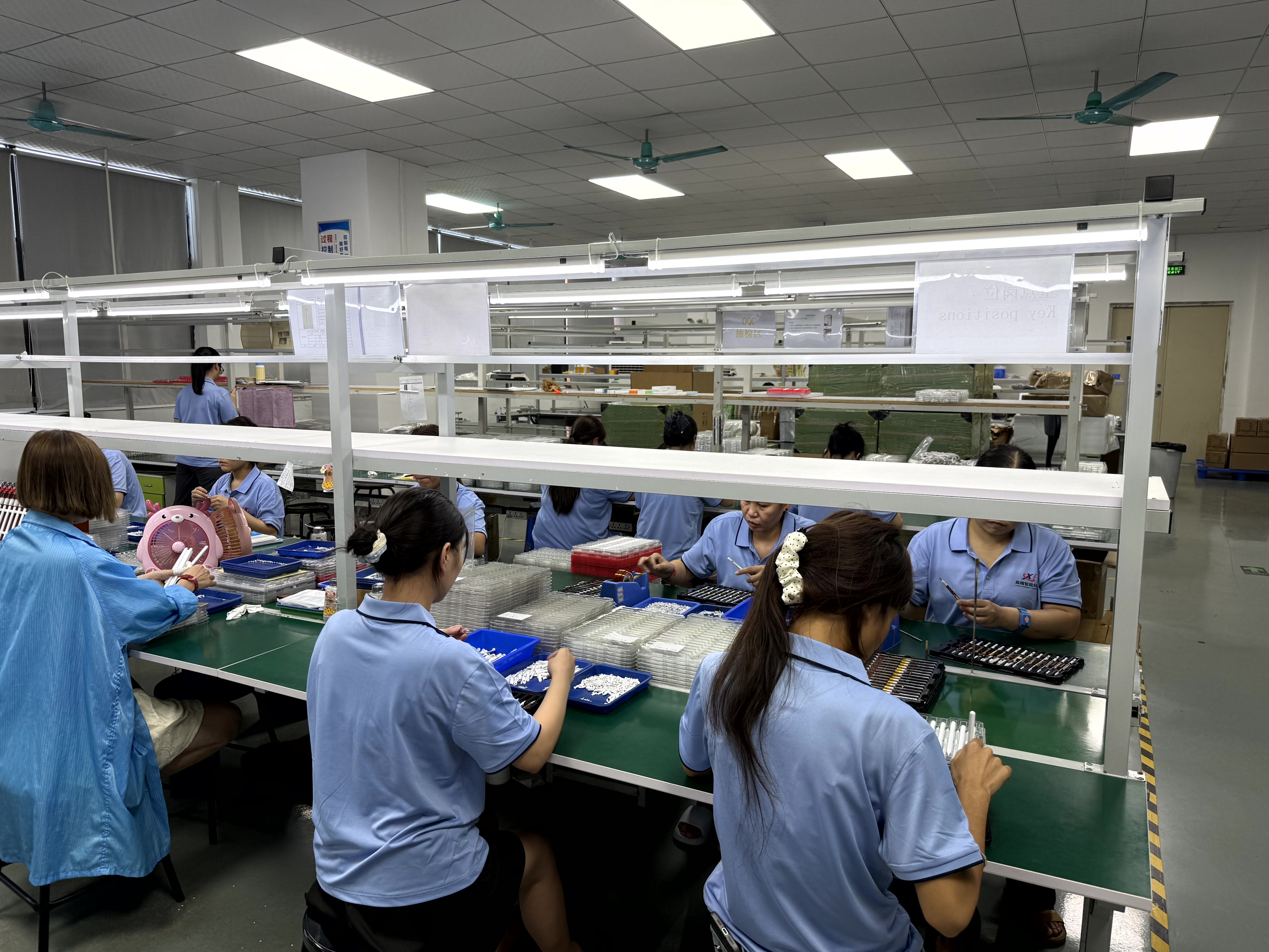
Stylus pen production environment. Image: Dongguan Jiayao Intelligent Technology Co., Ltd.
Handwriting, not sketching, decides whether a stylus pen feels right in daily use. Note-taking asks for a narrow set of behaviours: the pen should start writing the moment the tip touches the glass, the ink should land where the tip lands, the tablet should ignore the resting side of the hand, and the power source should not fail in the middle of a lecture. Pens that look impressive in a drawing demo can fail several of these tests.
The commercial backdrop is easy to misread. The global stylus pen market was valued at USD 19.45 billion in 2025 by IMARC Group, while Fortune Business Insights reports USD 3.36 billion for the same year. The two figures are not directly comparable, because the definitions differ — one accounting appears to cover the wider input-device category, the other strictly active digital pens. A separate forecast puts active stylus technology growth at a CAGR of 9.8% between 2026 and 2034 (Dataintelo). For buyers, the more useful question is not how large the category is, but which pen type matches which note-taking scenario on iPad and Android hardware.
Why note-taking stresses a stylus differently than drawing
Illustration rewards pressure curves, tilt shading and stroke texture. Handwriting rewards a different cluster of properties, and it punishes weaknesses that drawing tends to hide.
A half-millimetre of writing offset is invisible inside a broad watercolour wash, but it is clearly visible inside a handwritten character only a few millimetres tall. Latency that feels like a stylistic choice in a slow brush stroke reads as drag when someone writes cursive quickly. A palm rejection failure does not degrade one stroke; it corrupts an entire page. And a battery that empties during a session interrupts the task rather than the artwork.
The practical consequence is a matching problem. A note-taker who buys a pen tuned for illustration may pay for pressure and tilt capability that adds little to their workflow, while a buyer choosing a low-cost passive stylus for lectures may discover too late that the tablet cannot distinguish the pen from the hand. The risk is not that one type is universally better; it is that type and application are mismatched.
The stylus pen types that matter for handwriting
Stylus terminology mixes technology classes with feature labels. The table below separates them by how each type interacts with a tablet and what that means specifically for note-taking.
| Type | How it works | Note-taking strength | Note-taking limitation | Pen power |
|---|---|---|---|---|
| Capacitive (passive) stylus pen | Conductive rubber or fibre mesh tip emulates a finger touch on a capacitive screen | Works on virtually any capacitive tablet or phone; no pairing, no charging, lowest cost | No palm rejection and no pressure data from the pen; wider effective tip reduces handwriting precision | None |
| Active stylus pen (device-specific) | Pen electronics communicate with the tablet digitiser or a paired link | Low-latency writing, palm rejection and pressure support where the tablet supports them | Compatibility is tied to a device family; the pen needs charging | Rechargeable battery |
| Universal active stylus pen | Multi-protocol active pen, typically paired over Bluetooth | One pen across several tablet families, with palm rejection and shortcut functions | Feature parity varies by tablet model and firmware; compatibility must be verified per SKU | Rechargeable battery |
| EMR stylus pen | Electromagnetic resonance: the tablet digitiser powers the pen | No pen battery to manage, which suits long handwriting sessions on EMR-class tablets | Only functions on tablets that contain an EMR digitiser | Powered by the tablet |
| USI stylus pen | Built to USI 2.0, released in 2022 as the primary cross-platform standard for active styluses, supported by Google, Intel and Lenovo | Cross-brand interoperability inside the USI ecosystem | Only works on USI-compliant devices | Rechargeable battery |
| 2-in-1 stylus pen | Active tip at one end, passive fibre tip at the other | Covers both digitiser tablets and plain capacitive screens in one tool | Two tips to maintain; the passive end inherits all passive limits | Rechargeable battery |
| Rechargeable / fast-charging stylus pen | USB-C or wireless charging with quick top-up capability | Short recovery time between sessions | Charging remains part of the user workflow | Rechargeable battery |
| Magnetic / Bluetooth stylus pen | Magnetically attaches to the tablet edge; Bluetooth adds buttons and status reporting | Storage convenience and shortcut buttons for frequent actions | Pairing is an additional failure point; attachment strength varies by tablet | Rechargeable battery |
Two labels commonly used in product listings — palm-rejection stylus and tilt-sensitive stylus — are not separate device classes. They describe behaviour that a pen can deliver only when the host tablet supports it. The same applies to low-latency stylus, which is a performance description rather than a technology category.
Matching stylus type to the note-taking scenario
Scenario, not preference, should drive the selection. The matrix below maps common note-taking situations to the type that fits and the trade-off that comes with it.
| Note-taking scenario | What matters most | Type that fits | Watch-out |
|---|---|---|---|
| Lectures, meetings, continuous long sessions | Palm rejection, sustained battery, low latency | Active or universal active stylus with a stated operating time | Charging routine and idle battery drain |
| Field notes, forms, quick annotations | Durability, fast top-up, replaceable tip | Rechargeable active stylus with USB-C | Tip wear as a recurring consumable |
| Shared or classroom tablets | Simple operation, no pairing, no battery management | Passive capacitive stylus, or battery-free EMR on EMR tablets | No palm rejection on passive pens |
| Mixed handwriting and diagrams | Pressure and tilt for stroke variety | Active stylus with pressure sensitivity; high-end professional active pens and Samsung S-Pen reach up to 4,096 levels | Cost step-up compared with passive pens |
| Users moving between iPad and Android tablets | Cross-platform operation | Universal active stylus, or a USI 2.0 pen on compliant hardware | Per-model compatibility verification |
| Occasional signing and tapping | Basic capacitive input | Passive stylus | Not suited to long handwriting sessions |
The pattern is consistent: the more a scenario depends on handwriting precision and uninterrupted writing, the more it justifies an active pen. The more a scenario depends on simplicity, sharing or cost, the more a passive or battery-free option earns its place.
Technical criteria that decide handwriting quality
Latency and writing offset
These two measurements separate a pen that feels like ink from a pen that feels like a remote control. Jiayao's stylus comparison data describes active pens as delivering precise writing with no latency and no offset, with a stated performance gap of latency under 8 ms and writing offset under 0.5 mm. The same comparison places passive pens at higher latency and greater offset. For note-takers, latency is felt during fast cursive writing, and offset is seen when a character closes on itself.
Palm rejection
Palm rejection is the single feature that most often decides whether a stylus is usable for notes. It lets the user rest the hand on the screen while writing. Passive capacitive pens cannot provide it, because the tablet cannot distinguish the pen tip from any other conductive contact.
Pressure sensitivity
Pressure levels matter less for plain text than for signatures, diagrams and variable stroke weight. Samsung documents up to 4,096 levels of pressure sensitivity on its S-Pen and on high-end professional active pens. A note-taker who only writes plain text can accept fewer levels; a user mixing quick sketches into notes benefits from more.
Battery, charging and tip maintenance
Active pens trade a cable or a charger for capability. Jiayao's comparison data states up to 11 hours of continuous working time per full charge, requiring regular charging and a replaceable pen tip. Battery life is therefore a scheduling question as much as a specification: a pen that runs out mid-lecture delivers no advantage over a passive one. Replaceable tips are a consumable line item that buyers should plan for in after-sales terms.
Cost position
Cost is the clearest dividing line in the comparison data: active pens sit at a higher cost than passive pens. That gap is the economic basis of the whole decision. Where the user only needs tapping and signing, the premium buys little. Where the user writes for hours, the premium buys palm rejection, low latency and small writing offset.
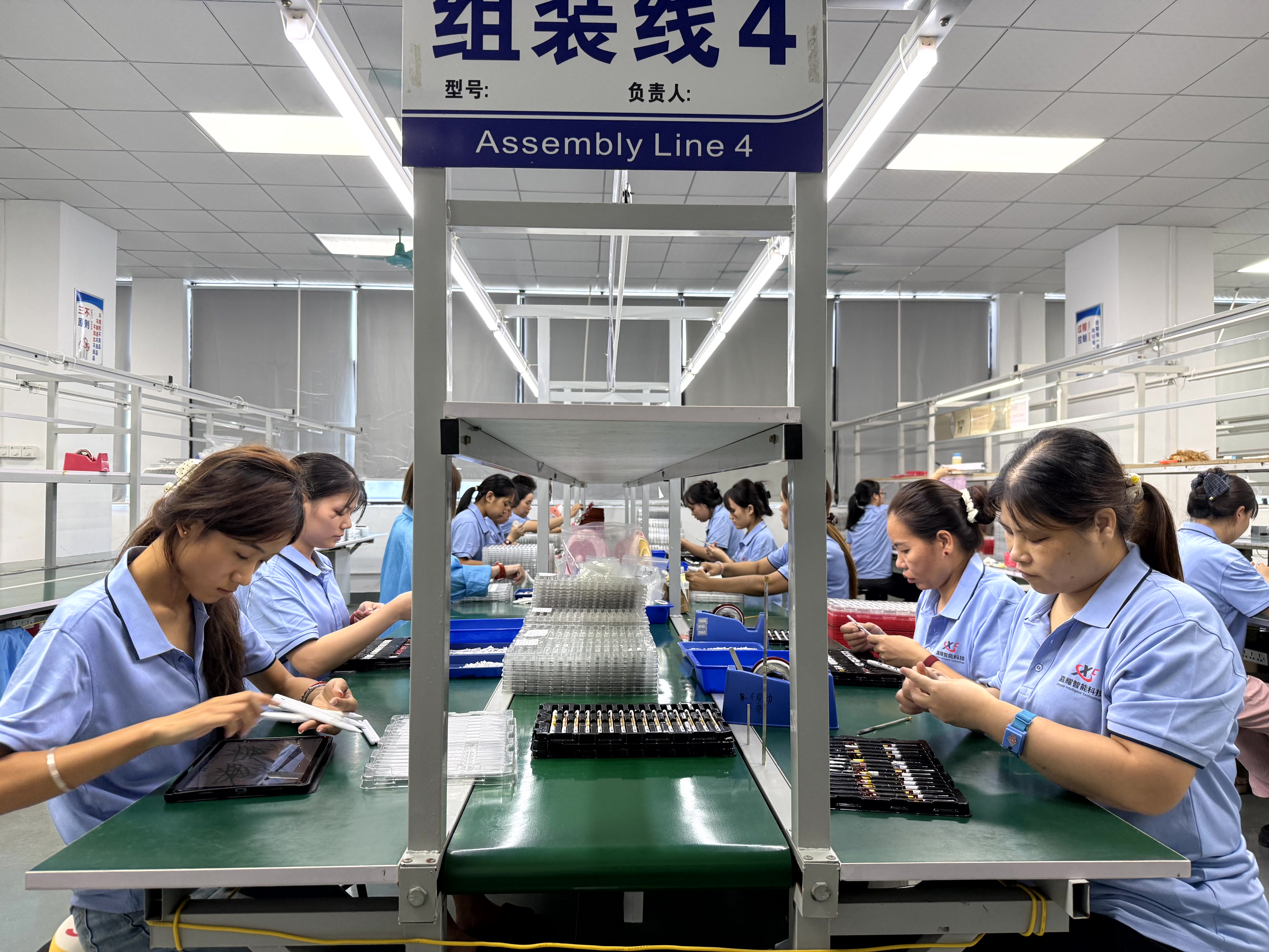
Stylus pen handling work. Image: Dongguan Jiayao Intelligent Technology Co., Ltd.
iPad and Android are not the same compatibility problem
Compatibility is where note-taking purchases most often go wrong, and the two major tablet ecosystems fail in different ways.
On the Android side, standards work has reduced fragmentation. USI 2.0, released in 2022, is described by the Universal Stylus Initiative as the primary cross-platform standard for active styluses, supported by Google, Intel and Lenovo. A pen built to that specification can travel across compliant devices. The alternative path is EMR hardware, where the digitiser powers the pen and the pen itself carries no battery — a meaningful advantage for long handwriting sessions, but one that only applies on tablets equipped with that digitiser.
On the iPad side, third-party active pens rely on compatibility with the tablet generation and the pen firmware rather than on an open cross-brand standard. Whether a given pen reproduces every system-level writing feature depends on that pairing. The practical rule for both ecosystems is the same and unglamorous: verify the feature set per tablet model and per stylus SKU instead of assuming that universal in a product name means universal in behaviour.
Where active stylus pens still fall short
A comparison that only lists advantages is not useful for a decision-stage buyer. Four boundaries are worth stating plainly.
- Cost: active pens carry a higher cost than passive pens, and that premium is not recovered in scenarios that only need tapping or signing.
- Power dependency: an active pen requires regular charging and offers a finite continuous working time per charge, quoted at up to 11 hours in Jiayao's comparison data. A passive pen never needs charging but also never delivers palm rejection.
- Consumables: the replaceable pen tip is a wear item. Buyers planning retail or distribution should treat tips as part of the support offer rather than an afterthought.
- Platform ceiling: no stylus can add a capability the tablet's digitising layer does not support. On devices without an active digitiser, a passive pen remains the realistic option regardless of budget.
The manufacturing and supply view
Dongguan Jiayao Intelligent Technology Co., Ltd is a stylus pen manufacturer based in Humen Town, Dongguan, Guangdong, China, founded in 2021. The company operates a 2,700 square meter facility with approximately 100 employees, an annual output of 3,000,000 units, and an in-house R&D team of four engineers. Reported export share is 40%, with the European Union and the United States listed as main markets. Its stated process coverage runs from PCBA design and battery welding through final assembly and quality testing.
For note-taking product lines specifically, three capability facts are relevant. First, the company supports both OEM and ODM projects covering active and passive stylus pens compatible with iPad and mainstream tablets, which matters because a distributor may need both a low-cost passive SKU for casual users and an active SKU for handwriting-heavy users. Second, customisation is offered on logo, packaging, function and Bluetooth name — the Bluetooth name being relevant for pens that pair with a tablet to enable palm rejection and shortcut behaviour. Third, every unit is described as passing 100% full inspection covering functional, tactile and visual checks. Flexible minimum order quantities, samples in as little as three weeks, and standard orders shipped in 20 days are the stated commercial terms.
One limitation should be recorded for balance: specific annual revenue for Jiayao Stylus is not publicly disclosed in third-party industry reports. Buyers evaluating the supplier should therefore weight verifiable process, capacity and inspection evidence over financial inference.
Procurement checklist for note-taking stylus lines
The checklist below translates the technical discussion into ordering-stage questions.
- Define the primary user: handwriting-heavy note-takers justify active pens; tap-and-sign users do not.
- Confirm the device list for each SKU, separately for iPad models and Android models, including USI-compliant and EMR devices.
- Require stated latency and writing offset figures rather than the words low latency and accurate.
- Confirm palm rejection behaviour on the target tablet, not on a demo unit only.
- Check the charging interface, stated continuous working time per charge, and whether the tip is replaceable and separately orderable.
- Establish the pressure-sensitive tier separately from the standard tier if both are sold.
- Confirm inspection scope, sample lead time and production lead time in writing.
- Confirm customisation boundaries — logo, packaging, function and Bluetooth name — before tooling commitments.
- Classify the shipment correctly: stylus pens are typically classified under HS Code 8471.60.90 as automatic data processing input units.
Market signals buyers should track
Three signals are directly supported by available data. The first is category scale: USD 19.45 billion in 2025 as reported by IMARC Group, against USD 3.36 billion reported by Fortune Business Insights — a spread that reminds buyers how much a category definition can move a number. The second is growth: a projected 9.8% CAGR for active stylus technology from 2026 to 2034, per Dataintelo, which points to active rather than passive pens as the expanding segment. The third is standardisation: USI 2.0, released in 2022 with support from Google, Intel and Lenovo, gives Android-side buyers a cross-brand reference point that did not exist in the early proprietary era.
Future outlook
If USI adoption widens as the cross-platform standard, the compatibility penalty that currently sits between iPad and Android stylus users should narrow, and pen shopping should shift from protocol matching toward feature matching. For suppliers, that raises the value of firmware tuning, tip quality and inspection consistency, because those are the variables a buyer can test. For note-takers, the sensible expectation is continuity rather than revolution: active pens will keep improving latency and power management, while passive pens will keep serving users whose needs never reach the palm-rejection threshold.
FAQ
Do you need an active stylus pen to take notes on a tablet?
Not always. A passive capacitive stylus works on virtually any capacitive tablet and needs no charging, but it cannot deliver palm rejection or pressure data from the pen. An active stylus pen is required when the user rests a hand on the screen while writing, when low latency matters for fast handwriting, or when pressure-sensitive strokes are needed. The decision therefore depends on whether the note-taking workload includes sustained handwriting.
Are universal stylus pens good for note-taking on both iPad and Android tablets?
Universal active stylus pens are designed to work across more than one tablet family, usually pairing over Bluetooth for palm rejection and shortcut functions. The limitation is that feature parity varies by tablet model and firmware, so the same pen may deliver a fuller feature set on one device than another. On the Android side, a pen built to the USI 2.0 specification released in 2022 offers a defined cross-platform reference point, supported by Google, Intel and Lenovo.
How does palm rejection change the note-taking experience?
Palm rejection lets the tablet ignore the resting side of the hand and register only the pen tip. Without it, a hand resting on the screen during handwriting produces stray marks that can corrupt a full page of notes. Passive capacitive styli cannot provide this behaviour because the tablet cannot separate the pen tip from other conductive contact; it is a property of active pen systems.
What do latency and writing offset mean in handwriting?
Latency is the delay between moving the tip and seeing the stroke appear; writing offset is the distance between the physical tip position and the rendered ink. Jiayao's stylus comparison data describes active pens as precise, with no latency and no offset, quoting a performance gap of latency under 8 ms and writing offset under 0.5 mm, against higher latency and greater offset for passive pens. Both properties become more visible as handwriting size decreases and writing speed increases.
How long can a rechargeable active stylus run on one charge?
Jiayao's comparison data states up to 11 hours of continuous working time per full charge, with regular charging required and a replaceable pen tip. This figure is a continuous-use rating and does not include standby behaviour, so buyers should treat it as a planning baseline rather than a guaranteed full-day figure. Battery-free EMR pens avoid the charging question entirely but only work on tablets with an EMR digitiser.
How much pressure sensitivity does note-taking actually need?
Plain text note-taking benefits less from pressure levels than illustration or signature capture does. Samsung documents up to 4,096 levels of pressure sensitivity on its S-Pen and on high-end professional active pens. For a user writing continuous text, palm rejection, latency and writing offset are the higher-priority specifications; pressure sensitivity becomes decisive when notes include diagrams, variable stroke weight or signatures.
Reference document: Jiayao Intelligent Stylus Pen Catalogue (PDF) — download available here. Company information: jiayaostylus.com.
Есть вопросы или нужны дополнительные детали?
Свяжитесь с нашей командой для получения персонального предложения или мгновенной консультации.
Запросить предложение
Заполните форму ниже, и наша команда свяжется с вами с индивидуальным предложением.
Прямой чат WhatsApp
Предпочитаете общаться в реальном времени? Напишите нам в WhatsApp для мгновенной помощи и быстрых ответов.
- Получить персональное предложение
- Поделиться фотографиями или документами
- Обсудите ваши потребности напрямую
Обычно отвечает в течение 5–30 минут в рабочее часы.