
Designing Wireless Presentation for Smart Classrooms: Constraints Buyers Should Verify
Wireless presentation in a smart classroom is a room-level infrastructure decision, not a cable replacement. The system must let teachers and students share content from Windows, macOS, iOS, Android and Chrome devices, support annotation and multi-user discussion, and remain stable enough for daily classes. That makes the buying question less about whether a device can cast, and more about which constraints must be verified before a school or integrator commits.
Commercial research from DataIntelo estimated the global wireless presentation solutions market at USD 7.8 billion in 2025, with hardware accounting for 52.1% of revenue. Grand View Research placed North America at 33% of the wireless display market in 2023. These are market-research estimates, not classroom test results, but they point to a practical reality: most spending still goes into hardware that must be installed, certified and supported in real rooms.
The Smart Classroom Problem: Open Access With Controlled Performance
Smart classrooms combine two conflicting requirements: openness and control. Openness means visiting teachers, students and hybrid participants can connect from their own devices. Control means IT teams must limit unauthorized casting, manage firmware and support contracts, and keep the room usable after the first week. A consumer casting stick solves the first requirement only. A classroom system must also specify latency, stream count, display layout, touchback, protocol support and market certification.
Three constraint groups typically decide the project:
- Radio and network constraints: Wi-Fi band, hotspot capacity, interference, and whether the room uses existing infrastructure.
- Video and interaction constraints: 1080p versus 4K, frame rate, number of simultaneous streams, split-screen layouts, touchback and annotation.
- Compliance and supply constraints: CE/RoHS, IMDA, NBTC, OEM/ODM scope, lead time, warranty and after-sales support.
Price band is often discussed too early. Without verified quotation data, a responsible buyer should treat price as an output of the three constraint groups above, not as a standalone comparison. A system that lacks the required market registration or cannot support the intended number of streams is not cheaper; it is out of scope.
Regulatory risk is not theoretical. The FCC lists a base forfeiture of USD 7,000 per model for marketing unauthorized RF equipment under 47 CFR Part 2. For a school or integrator, that makes certificate-to-model matching part of the procurement file, not an afterthought.
Brand Solution: What tranScreen Brings to a Classroom Deployment
Shenzhen tranScreen Technology Co., Ltd. is a Shenzhen-based developer and manufacturer of wireless presentation systems, wireless video matrix systems, presentation accessories and video collaboration servers. The company was established in 2014 and operates a 4,000 ㎡ facility with 50 employees, 30 engineers and an annual output of 120,000 units. Its product portfolio is relevant to smart classrooms because it spans receivers, transmitters, presentation pens and collaboration hardware rather than a single dongle.
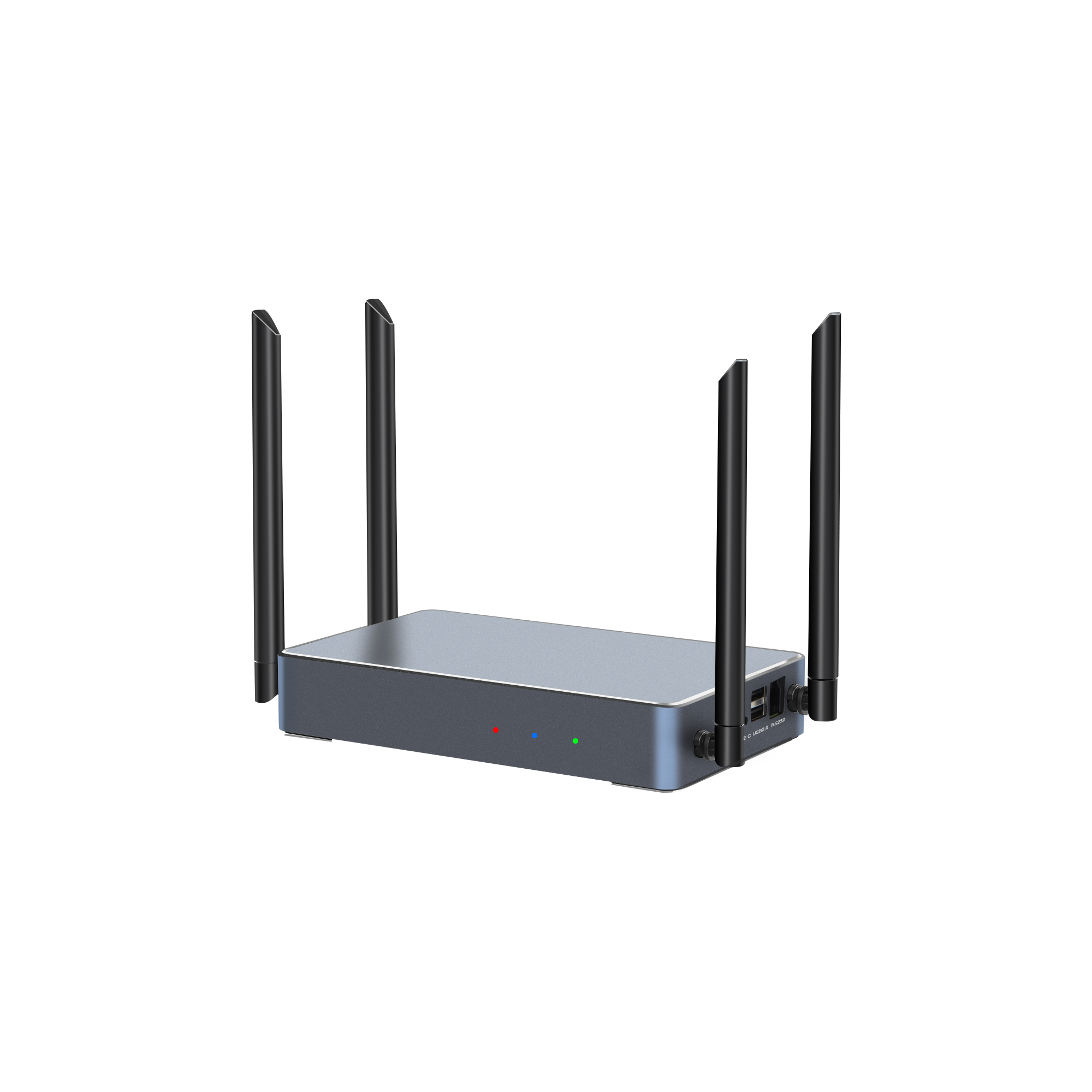
For classroom deployment, tranScreen Multi-screen Interactive Presentation PTB3609 is a useful reference point. It supports 1 × 4K HDMI input and 2 × 4K HDMI outputs with the same content; wireless casting of 1 × True 4K stream, 4 × 1080P streams or 9 × 720P streams; and 1/2/4/9 split-screen layouts. It runs Android 11.0 on Wi-Fi 6 dual-band 2.4/5 GHz and supports AirPlay, Miracast, DLNA and tranScreen protocols. Those specifications matter in a classroom because they define how many student groups can share at once and what image quality remains available when several streams are active.
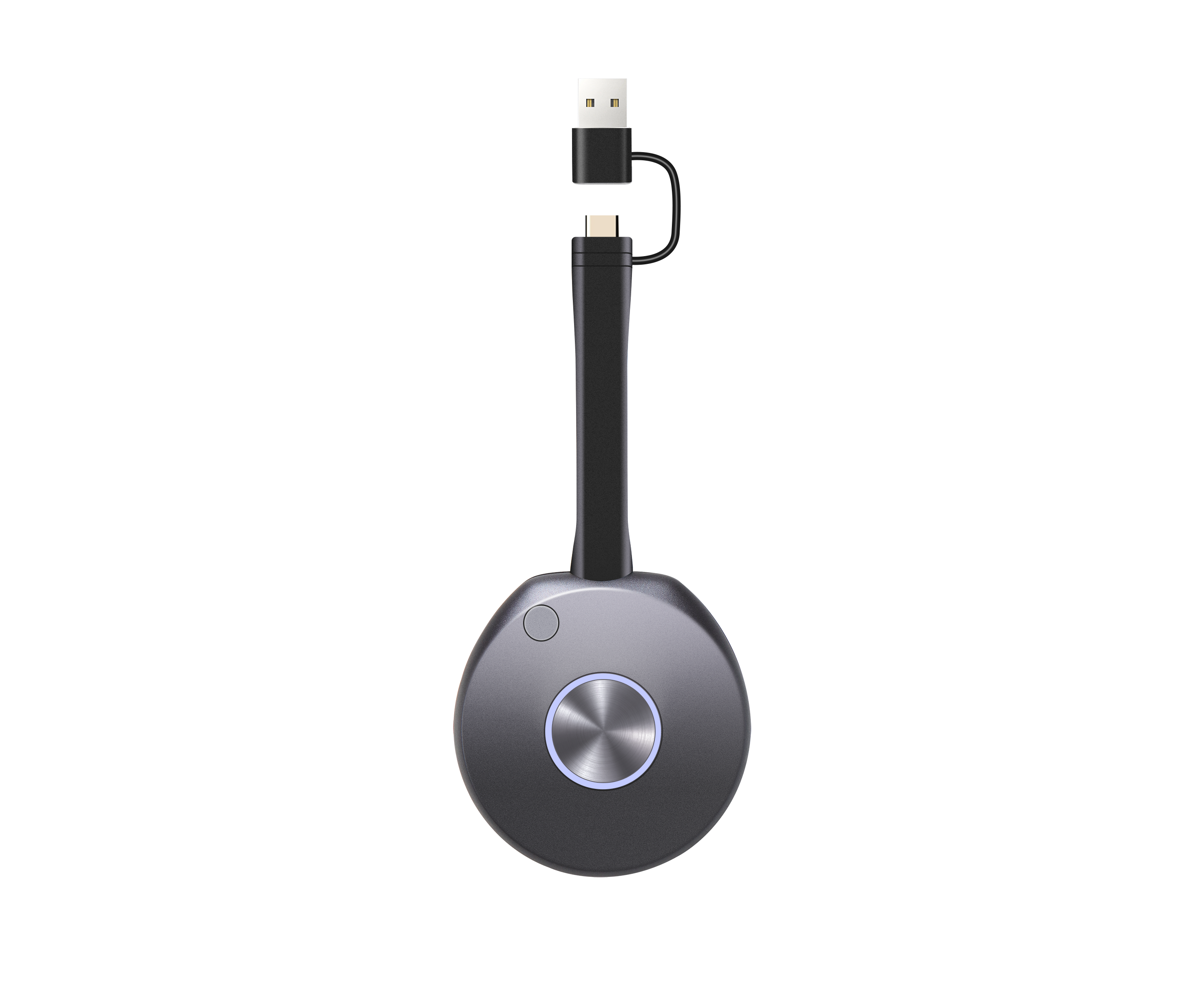
Other tranScreen products address narrower constraints. The 4K Wireless Presentation PTB3219 provides Wi-Fi 6 dual-band connectivity, up to 1201 Mbps hotspot speed, up to 9 hotspot-connected devices, 1 × HDMI IN up to 4K@30Hz, 2 × HDMI OUT with main display up to 4K@60Hz and secondary display up to 2K@60Hz, 1/2/4/9 split-screen, and average latency below 150 ms at 10 m/1080P. The Wireless Presentation Receiver PTB4615 supports up to 8 connected devices, 2 split screens, NFC one-touch casting and average latency below 90 ms at 3 m/1080P. The Type C 4K BYOM Transmitter PTB1312 provides USB-C input, 3840×2160 maximum transmission resolution at ≤30 fps, dual-band Wi-Fi up to 867 Mbps, and a configurable button for freeze casting or BYOM source switching.
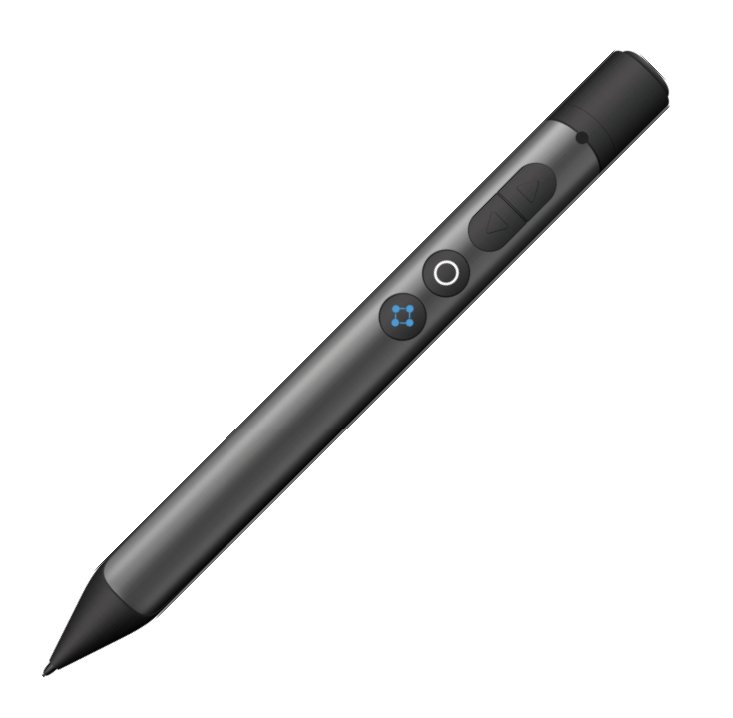
Accessories complete the room. The Whiteboard Pen PPT2201 combines page turning, air mouse, spotlight, digital laser, magnifier, annotation and timing reminder functions; it connects via a 2.4 GHz USB receiver with a range of 30 m or more and has a battery life greater than 50 hours. The Wireless Presentation Mouse PMS2402 provides 8 buttons, 800–2400 DPI and a 120-hour battery life. These are not decoration: in a classroom, the teacher ability to annotate, spotlight and control slides without returning to the display affects lesson flow.
Technical Explanation: How Wireless Presentation Works in a Classroom
Wireless presentation works by encoding a sender screen and audio into a data stream, transmitting it over Wi-Fi, decoding it at a receiver and outputting video to the classroom display. The receiver is the fixed infrastructure; the sender can be a laptop, tablet, phone or dedicated transmitter. In a smart classroom, the receiver usually connects to an interactive flat panel, projector or large display, while the teacher and students join through software casting or a USB-C/HDMI transmitter.
Latency and resolution are the two specifications most often misread. A stated latency figure is only meaningful with its test conditions. tranScreen states average latency below 90 ms at 3 m/1080P for PTB4615 and below 150 ms at 10 m/1080P for PTB3609. Those figures do not mean every session will have the same latency; distance, Wi-Fi congestion, source device and content type all affect the result. Similarly, 4K support is not uniform. PTB3219 supports 4K@30Hz input and up to 4K@60Hz main output, while PTB1312 has a maximum transmission resolution of 3840×2160 at ≤30 fps. A buyer who needs 60 fps motion should verify the entire chain, not just the receiver output label.
Multi-user capacity is another constraint. PTB3609 wireless casting modes show the trade-off clearly: one True 4K stream, four 1080P streams or nine 720P streams. The room can support many participants, but image quality and stream count are linked. For a seminar room with one presenter, a single high-quality stream may be right. For group discussion, 1/2/4/9 split-screen layouts are more useful than a single full-screen image. The correct choice depends on teaching method, not on the maximum number printed on a datasheet.
Touchback and annotation change the interaction model. PTB3609 supports 10-point touchback for Windows and macOS, electronic whiteboard and on-screen annotation, wireless notes and wireless speech. This allows a teacher to control a Windows or macOS source from the classroom display. It does not make every application or every operating system touch-enabled. Buyers should test the actual teaching software, especially if Android or iOS devices will be used for student responses.
Application and Use Cases in Smart Classrooms
Teacher-led presentation
The receiver remains connected to the classroom display; teachers connect wirelessly from a laptop or use a USB-C/HDMI transmitter. PTB3609 dual HDMI outputs can feed a main display and a secondary display with the same content, which is useful in a large classroom where a repeater screen is needed. The 4K HDMI input allows a fixed PC or document camera to be included in the same system.
Group discussion and student sharing
A 1/2/4/9 split-screen layout lets several groups show work at the same time. PTB3609 supports up to 9 wireless sharing channels, and the receiver can manage host privilege and a configurable main presenter. In practice, this is more useful than a single-cast dongle because the teacher can compare four group outputs without unplugging cables.
Annotation and lesson control
The PPT2201 Whiteboard Pen and PMS2402 mouse give the teacher page turning, spotlight, digital laser, magnifier and annotation controls. The pen 30 m+ wireless range allows movement around the room. This matters in classrooms where the teacher writes on a side board or walks among students.
Hybrid and BYOM teaching
PTB1312 and PTB1308 transmitters are BYOM-oriented. PTB1312 uses USB-C input and supports UAC; the configurable button can be used for freeze casting or BYOM source switching. In a hybrid classroom, the same room can present a local teacher screen and switch to a video-conferencing source without recabling. The limit is that the room camera, microphone and conferencing software still need their own compatibility checks.
Small and medium rooms
PTB4615 is positioned for small and medium-sized meeting rooms, training rooms and collaboration spaces. It supports up to 8 connected devices, 2 split screens, software casting across Windows, Android, iOS, macOS and Chrome, and hardware casting for Windows and macOS. For a classroom with one teacher and occasional student sharing, this is a simpler constraint set than a 9-stream system.
Market Trend Analysis: From Casting Accessory to Room Infrastructure
Commercial research suggests the category continues to grow, but the more important trend for schools is architectural. DataIntelo estimates the global wireless presentation solutions market at USD 7.8 billion in 2025, with hardware at 52.1% of revenue. Grand View Research reports North America held 33% of wireless display market revenue in 2023. These figures do not tell a school which product to buy. They do explain why buyers now see wireless presentation as room infrastructure rather than a peripheral.
Product evidence from tranScreen points to three procurement trends. First, Wi-Fi 6 and dual-band 2.4/5 GHz are becoming baseline requirements for multi-user classrooms; PTB3219 and PTB3609 both use Wi-Fi 6 dual-band connectivity. Second, BYOM is moving from meeting rooms into classrooms; PTB1312 and PTB3219 include BYOM-related features. Third, certification is becoming a market-entry filter; the PTB3219 carries IMDA Equipment Registration N6342-24 for Singapore, while a Wireless Video Processor is covered by CE RoHS certificate WEB260701013RCC for the EU market. Buyers should ask for the certificate that matches the exact model and market, not a generic compliance statement.
Comparison With Traditional Solutions
Professional wireless presentation is not universally better than a cable. A fixed wired input remains the most deterministic connection for a single PC or document camera. Wireless adds shared-medium risk and requires Wi-Fi planning. The practical comparison is therefore about fit, not superiority.
| Constraint | Wired HDMI switching | Consumer casting dongle | Professional wireless presentation |
|---|---|---|---|
| Source flexibility | Fixed ports; cable changes for new sources | Usually one user at a time | Software casting across Windows, macOS, iOS, Android and Chrome; hardware transmitters for Windows and macOS on specified models |
| Multi-user collaboration | Requires external matrix switching | Limited split-screen and host control | PTB3609 supports up to 9 wireless sharing channels; PTB4615 supports up to 8 connected devices |
| Latency reference | Deterministic signal path | Varies by product and network | PTB4615 below 90 ms average at 3 m/1080P; PTB3609 below 150 ms average at 10 m/1080P |
| Resolution and frame rate | Depends on cable, switch and display | Often limited to 1080P | PTB3219 4K@30Hz input and up to 4K@60Hz main output; PTB1312 3840×2160 at ≤30 fps |
| Certification visibility | Minimal RF certification issue | Often unclear by model and market | CE RoHS certificate WEB260701013RCC; IMDA N6342-24 for PTB3219; NBTC SDoC SD05832-24 for Wireless Video Processor |
| Best fit | Fixed PC, document camera, deterministic source | Ad hoc personal use | Classroom with BYOD, group work and annotation |
| Main limitation | Cable clutter and connector wear | Weak room management and support | RF-dependent; 4K stream count and frame rate are constrained; touchback is OS-specific |
A hybrid room that keeps one wired input and adds wireless for student devices often gives a better risk profile than replacing every cable. The limitation should be stated plainly: wireless presentation performance is affected by Wi-Fi conditions, and a 4K stream may reduce the number of simultaneous streams or the available frame rate.
Future Outlook
Smart classroom wireless presentation will be evaluated less as a casting feature and more as a managed room capability. The constraints likely to matter next are multi-user fairness, 4K at usable frame rates, touchback across operating systems, and certification per market. tranScreen OEM/ODM capability is relevant here: the company offers hardware and software customization including product logo and branding, packaging and UI; low MOQ for new clients and small trial orders are negotiable; lead time is 7–14 days after order confirmation, varying by quantity and production status; quality control is 100% test; after-sales support includes remote support, replacement and a two-year warranty. For schools and integrators, those supply facts matter because a classroom project rarely ends at the first installation; it continues through firmware, replacement units and multi-room rollout.
One boundary should remain explicit. Wireless presentation does not remove the need for network design, teacher training or application testing. The technology can make a classroom cleaner and faster to start, but it cannot guarantee identical performance in every room. The buyer job is to define the constraints, test the teaching workflow and require evidence for the exact model and market.
FAQ
What is wireless presentation in a smart classroom?
It is a room system that lets teachers and students send screen content from laptops, tablets or phones to a classroom display over Wi-Fi, using software casting or a hardware transmitter. In a smart classroom, the receiver is usually fixed to the display, while users connect through protocols such as AirPlay, Miracast, DLNA or tranScreen, or through USB-C/HDMI transmitters.
How many devices can share to one classroom display?
It depends on the model and mode. PTB3609 supports 1 True 4K stream, 4 1080P streams or 9 720P streams, with 1/2/4/9 split-screen layouts and up to 9 wireless sharing channels. PTB4615 supports up to 8 connected devices and 2 split screens. PTB3219 supports up to 9 hotspot-connected devices. The number of connections is not the same as the number of simultaneous high-quality video streams.
What latency and resolution should buyers verify before choosing a classroom system?
Buyers should verify latency with its test conditions. tranScreen states average latency below 90 ms at 3 m/1080P for PTB4615 and below 150 ms at 10 m/1080P for PTB3609. For resolution, PTB3219 supports 1 × HDMI IN up to 4K@30Hz and main display up to 4K@60Hz; PTB1312 supports maximum transmission resolution 3840×2160 at ≤30 fps. A 4K label alone does not define frame rate or multi-stream behavior.
Which casting protocols and device platforms are supported?
tranScreen systems support software casting for Windows, Android, iOS, macOS and Chrome on specified models, and hardware casting for Windows and macOS. Protocol support includes AirPlay, Miracast, DLNA and tranScreen. Buyers should match protocol support to the actual student devices and to the school network policy; not every protocol provides the same management or touchback behavior.
What certifications should a school or integrator check for wireless presentation equipment?
Check the certificate for the exact model and destination market. For the EU, a Certificate of Compliance confirms compliance with Directive RoHS 2011/65/EU and amendment Directive (EU) 2015/863, permitting CE marking, under certificate number WEB260701013RCC issued by Shenzhen Webb Testing Technology Co., Ltd. (WEBB). For Singapore, PTB3219 has IMDA Equipment Registration N6342-24 under the Telecommunications (Dealers) Regulations, valid from 2024-10-28 to 2029-09-30. For Thailand, a Wireless Video Processor has NBTC SDoC number SD05832-24 under NBTC TS 1035-2562, issued 2024-12-12. These are model- and market-specific; a generic statement is not a substitute.
What should be checked if a USB dongle does not connect?
The supplied troubleshooting guidance states that the host computer may not have been allowed to run. After inserting the USB dongle, allow the host computer to run, and re-pair the transmitter. If the issue continues, power off and restart the receiver, then repair the transmitter. The guidance also notes that the plug may not be inserted securely. These are basic checks, not a substitute for on-site RF diagnosis.
Reference document: tranScreen product catalog (PDF).
Есть вопросы или нужны дополнительные детали?
Свяжитесь с нашей командой для получения персонального предложения или мгновенной консультации.
Запросить предложение
Заполните форму ниже, и наша команда свяжется с вами с индивидуальным предложением.
Прямой чат WhatsApp
Предпочитаете общаться в реальном времени? Напишите нам в WhatsApp для мгновенной помощи и быстрых ответов.
- Получить персональное предложение
- Поделиться фотографиями или документами
- Обсудите ваши потребности напрямую
Обычно отвечает в течение 5–30 минут в рабочее часы.