
P0.625 or P1.25? Choosing COB Displays for Control Rooms
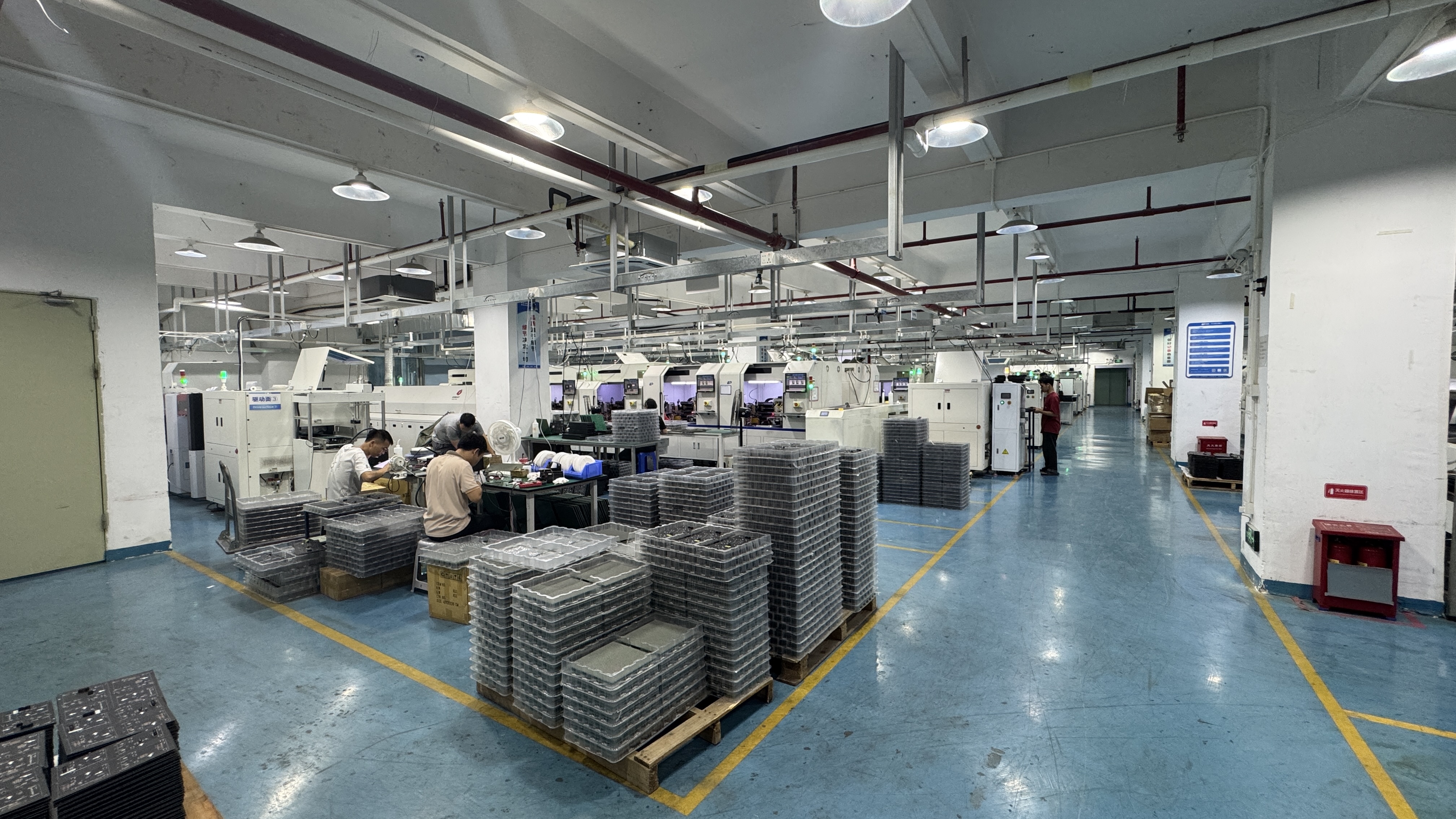
Module production for fine-pitch COB LED displays. Panel format and pixel pitch are decided independently of each other in a control room specification.
Control rooms rarely fail because a screen was too small. They fail because the screen was specified for a showroom instead of for an operator who sits at the same desk for eight hours. Two fine-pitch options increasingly compete for the same wall in command centres, dispatch rooms and security operations centres: P0.625 and P1.25 COB LED displays.
This comparison evaluates both pitches as published options in the ECOB Series from DDW DISPLAY (Shenzhen DDW Technology Co., Ltd.), an LED display manufacturer founded in 2012 with a 10,000 ㎡ manufacturing facility in Shenzhen, China, an export ratio above 95%, and delivered projects in more than 120 countries and regions. The analysis relies on published product specifications rather than on vendor sales arguments.
The short answer, stated up front: if the closest viewer in the room sits within roughly a screen-height of the wall, P0.625 buys native 1080p resolution in about a quarter of the screen area that P1.25 needs — at a higher cost per square metre. If every viewer sits several metres back, P1.25 usually delivers the same operational legibility across a larger wall for less money. The rest of this article explains how to decide which case applies to your project.
The Control Room Is a Different Buying Environment
A control room wall is a fixed installation under continuous operation. It is not a rental screen and not an advertising display. The operating conditions that shape the specification are well established: close viewing distance, controlled lighting, daily or 24/7 runtime, limited installation depth, low tolerance for noise and heat, and a need for accurate low-brightness grayscale so that monitoring interfaces, maps and video feeds remain readable without eye strain.
Those conditions push control rooms toward fine pixel pitch, high refresh, seamless splicing, high contrast, wide viewing angles, front maintenance access and stable long-term operation. They also explain why a pitching decision that would be trivial for an outdoor billboard becomes a serious engineering question indoors: the operator is close, the content is dense, and the display has to be correct on the first day and on the thousandth day.
Why Pixel Pitch Is Decided Before Brand and Price
Pixel pitch is the physical distance between the centres of two adjacent pixels. It determines pixel density, and pixel density determines how much detail a given area of screen can physically display. No processing, calibration or content strategy can add information that the pixel grid cannot resolve.
For a control room, three consequences follow immediately. First, the required pitch is set by the closest viewing position in the room, not by the average. A wall that looks sharp from the back row can look visibly structured to the operator in the front row. Second, pitch drives the number of pixels, driver channels and packaging in the wall, which is why a smaller pitch normally increases project cost. Third, pitch defines the native resolution of the wall, which in turn defines what source resolution the signal chain must deliver to avoid scaling.
That is why the P0.625 versus P1.25 question is really a question about native resolution and viewing distance, with cost as the constraint — not a question about which product is "better".
What P0.625 and P1.25 Share on the ECOB Series Platform
Before comparing the two options, it is worth noting how much they have in common. Both are COB options in the same series, which means most of the mechanical, electrical and service characteristics are identical. The comparison therefore narrows to resolution, cost and signal chain rather than to reliability or installation method.
| Parameter | ECOB Series P0.625 and P1.25 (shared specification) |
|---|---|
| LED packaging | Flip Chip COB |
| Cabinet material | Die-cast aluminium |
| Maintenance | Front service |
| Brightness | 600 nits standard, 1000 nits optional |
| Contrast ratio | 10,000:1 |
| Refresh rate | 3,840 Hz |
| Input power | AC 100–240 V, 50/60 Hz |
| Operating temperature | −10 °C to +40 °C |
| Module size | 150 × 168.75 mm |
| Panel formats | 600 × 337.5 × 39.5 mm (4 kg); 600 × 675 × 39.5 mm (7.9 kg) |
| Lifetime | 100,000 hours at 50% brightness |
Two points are worth extracting from that table. First, the Flip Chip COB construction mounts the LED die directly on the board and covers the module surface, rather than leaving wire-bonded lamps exposed at the front. In practice this produces a flatter, sealed front surface that is more resistant to accidental contact and dust than an exposed-lamp module — a meaningful property in a room where operators, cleaners and service technicians work close to the wall. Second, because front service is standard on both options, a control room can be built recessed into a wall or fitted flush without reserving rear access space. That single design decision often matters more to the room layout than the choice of pitch.
The Resolution Arithmetic: What Each Pitch Actually Buys
The difference between P0.625 and P1.25 is a factor of two in linear pitch, which becomes a factor of four in pixel density. Derived from the published pitch figures:
- P0.625 delivers approximately 2,560,000 pixels per square metre; P1.25 delivers approximately 640,000 pixels per square metre.
- A single 150 × 168.75 mm module carries about 240 × 270 = 64,800 pixels at P0.625, versus about 120 × 135 = 16,200 pixels at P1.25.
- A 600 × 675 mm area carries 960 × 1080 pixels at P0.625 and 480 × 540 pixels at P1.25.
The practical consequence is worth stating plainly, because it is the single most useful number in this comparison. To build a wall with native 1920 × 1080 resolution:
- At P0.625, the wall must measure about 1,200 × 675 mm.
- At P1.25, the wall must measure about 2,400 × 1,350 mm.
In other words, the smaller pitch turns a compact two-panel-wide display into a native full-HD surface, while the larger pitch requires roughly four times the screen area — and roughly four times the cabinet count — to reach the same pixel count. For a room where the display must fit a limited wall width but still show 1080p monitoring layouts without scaling, that difference is decisive. For a large command centre where the wall is going to be several metres wide anyway, both pitches can reach and exceed 1080p, and the question becomes how much resolution the room can actually use.
Viewing Distance, Content Detail and the Risk of Over-Specification
Viewing distance is the constraint that connects pitch to human perception. The closer the nearest viewer, the smaller the maximum pitch that will appear seamless and continuous rather than visibly structured. The further the nearest viewer, the more the eye integrates adjacent pixels into a smooth image, and the less benefit a very fine pitch provides.
Control rooms sit at the close end of that spectrum, which is why fine-pitch options such as P1.25 and below are generally considered appropriate for control rooms, conference rooms and similar close-viewing indoor environments, while larger pitches are typically matched to exhibition, stage and outdoor viewing distances. A smaller pitch provides higher pixel density and better close-range image detail, but it usually increases project cost — so the correct specification is not automatically the smallest pitch available, but the pitch that provides sufficient image quality at the actual viewing distance and for the actual content.
Content detail is the second half of the equation, and it is where over-specification quietly wastes budget. A P0.625 wall is capable of showing far more pixels than most control room content contains. If the source material is a set of 1080p camera feeds, SCADA dashboards or video conferencing windows, then a very large P0.625 wall will be fed by an upscaling processor: the extra pixels are physically present but carry no additional information. The fine pitch only converts into visible advantage when the sources, the processing chain and the viewing distance all support it — for example, dense GIS or CAD overlays, multi-window operator layouts, or a wall that must be read from a desk positioned close to the screen.
Panel Format: 600 × 337.5 mm or 600 × 675 mm
Pixel pitch and panel format are two separate decisions, and buyers often conflate them. The ECOB Series offers two panel sizes, both 39.5 mm deep and both built on the same 150 × 168.75 mm module:
| Panel format | Area | Weight | Approx. mass per m² |
|---|---|---|---|
| 600 × 337.5 × 39.5 mm | 0.2025 m² | 4 kg | ≈ 19.8 kg/m² |
| 600 × 675 × 39.5 mm | 0.405 m² | 7.9 kg | ≈ 19.5 kg/m² |
The calculation above shows that the two formats are almost identical in mass per unit of screen area — about 19.5 to 19.8 kg per square metre. Structural loading therefore does not change much with the format; what changes is the number of pieces and the weight of each piece. A 7.9 kg panel is harder for one technician to position than a 4 kg panel, but it introduces half as many horizontal seams over the same wall height. Conversely, two stacked 600 × 337.5 mm panels weigh about 8 kg — marginally more than the equivalent single 600 × 675 mm panel at 7.9 kg — but give the installer finer control over the wall's aspect ratio and seam placement.
The panel grid also aligns neatly with standard resolutions. At P0.625, a 600 mm width equals 960 pixels and a 675 mm height equals 1080 pixels. That means a wall assembled two panels wide and one panel high at that pitch produces exactly 1920 × 1080 native pixels. At P1.25, the same geometry produces 960 × 540. Buyers who care about pixel-for-pixel mapping with common control room source resolutions should run this arithmetic against their intended wall dimensions before selecting a panel format.
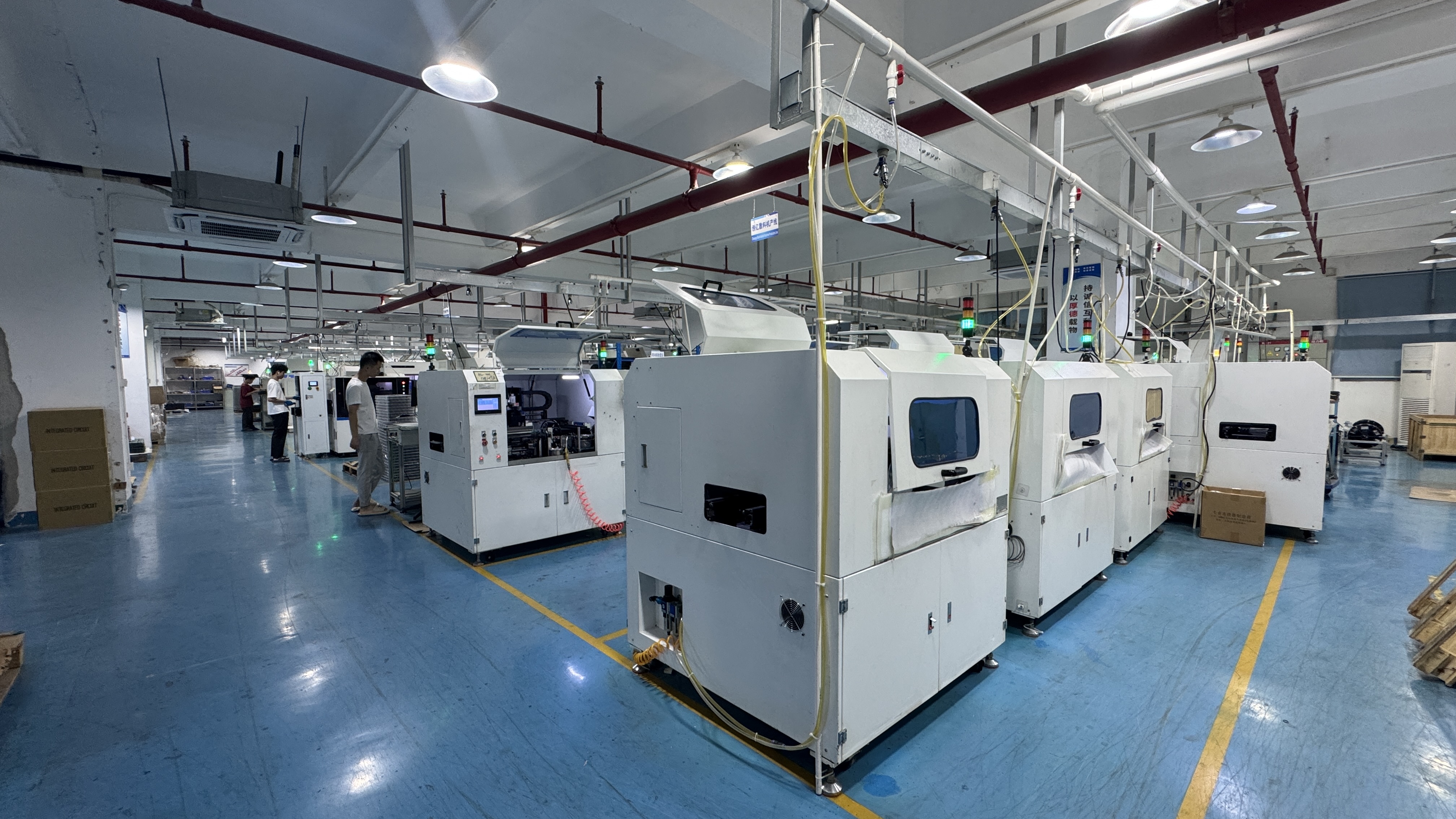
Fine-pitch COB modules are inspected before shipment. In control rooms, front-service access and module-level replacement determine long-term downtime, not the pixel pitch itself.
How Each Option Fits Real Control Room Scenarios
A small operations room with one or two desks and limited wall width is the clearest case for P0.625. Native 1080p fits into roughly 1,200 × 675 mm, so a compact wall can display monitoring layouts, camera grids and dashboards without scaling artefacts — and the seated operator, positioned close to the screen, sees a continuous image rather than a visible pixel structure.
A large command centre with tiered seating, where the nearest viewer is several metres away, is the clearest case for P1.25. The larger pitch covers more wall area per pixel budget, so the same capital allowance buys a bigger screen with an adequate pixel count for the actual viewing distance. Content such as CCTV mosaics, transport maps or process overviews is rarely limited by the display's pixel density at that distance.
Between those two extremes, several factors usually settle the decision: whether the room requires true pixel-for-pixel 1080p or 4K mapping; whether the sources themselves are high resolution; how much wall area is available; and how the wall's seams fall relative to content. Both pitches share the same front-service design, the same die-cast aluminium cabinet, the same 3,840 Hz refresh and the same 600 nit standard brightness with an optional 1000 nit configuration, so none of those variables separates the two options.
Where This Comparison Stops: Limitations and Trade-Offs
An honest comparison has to name its boundaries, and there are four that buyers should weigh before treating P0.625 as the default upgrade.
Cost per square metre. A smaller pixel pitch requires more LEDs, more driver channels and finer packaging per unit of screen area, and it usually increases project cost. The premium buys resolution, not brightness, not refresh and not reliability — those are identical across the two pitches in this series.
Diminishing returns outside the useful viewing range. Beyond a certain distance, the human eye cannot resolve the additional pixel density, and the extra cost produces no visible operational benefit. Conversely, if the closest operator sits very close to the wall, P1.25 may show visible pixel structure in fine text and thin map lines. The correct answer therefore depends on measurement, not on preference.
Signal chain dependency. A high-density wall is only as good as the sources feeding it. If the control room runs 1080p sources and a processor without sufficient input capacity, extra display resolution is largely wasted; upgrading the sources and processing may be a more effective use of the same budget than reducing pixel pitch.
Specification conditions. The 100,000-hour figure for this series is stated at 50% brightness; it is a component-life specification under defined conditions, not a guarantee of constant output over that period. Likewise, the −10 °C to +40 °C operating range assumes the room's HVAC is doing its job. A control room with poor airflow or direct solar gain should be reviewed before the wall is installed, because both pitches sit in the same thermal envelope. On power consumption, pixel pitch is only one factor among several — brightness setting, LED type, driver IC, power supply and displayed content all contribute — so a project-specific power calculation is more reliable than a pitch-based assumption.
Market Signals Behind Fine-Pitch COB Adoption
The commercial context supports the direction of travel, although the headline numbers should be read with care. Mordor Intelligence projects the global LED display market at USD 20.73 billion in 2026, rising to USD 26.98 billion by 2031. Grand View Research places the Micro-LED segment on a 77.4% CAGR from 2024 to 2030, reaching a projected USD 25.65 billion — a signal that packaging and density, not just screen size, are where the industry is investing. Mordor Intelligence also estimates China's LED display market at 660 billion RMB in 2024 with a 15.79% CAGR, reflecting the concentration of manufacturing capacity behind fine-pitch indoor products.
One caution is worth passing on to anyone using market research in a procurement paper: published LED display market values differ substantially depending on what is being counted. Comparisons of 2026 global figures range from roughly USD 20 billion to roughly USD 8 billion, largely because some sources include all large-format LED while others count only direct-view LED signage. For buyers, these figures are useful as a directional indicator of investment in fine-pitch and COB technology — not as a basis for a budget line. On the trade side, LED displays are generally classified under HS code 852859 for "monitors other than cathode-ray tube", which is the reference point importers should confirm with their customs broker.
A Pre-Purchase Verification Checklist
- Measure the closest viewing position in the room, not the average — it sets the minimum acceptable pitch.
- Calculate the native resolution of the intended wall at both P0.625 and P1.25 before choosing.
- Confirm the source resolution and the processing capacity that will feed the wall.
- Check whether true 1920 × 1080 or 4K mapping is required, and at what wall dimensions it is achieved.
- Decide panel format on handling weight, seam count and aspect ratio, not on pitch.
- Confirm front-service clearance and cable routing for a recessed or flush installation.
- Specify brightness against the room's ambient light — 600 nits standard or the 1000 nit option — and confirm the low-brightness grayscale behaviour.
- Verify power distribution against the AC 100–240 V, 50/60 Hz input and confirm the thermal plan for the −10 °C to +40 °C operating range.
- Request the certification documents applicable to the destination market, such as CE, FCC or RoHS, and the corresponding test reports.
- Confirm pre-shipment inspection, spare module availability and module-level replacement procedure.
Future Outlook
Two trajectories matter for control room buyers. The first is continued miniaturisation. Micro-LED and advanced COB packaging are where the industry's research and capital are concentrated, and pitch options that were premium a few years ago are steadily becoming standard, with cost per square metre following the usual volume curve. Buyers specifying today should assume that a wall bought now will still be in service when finer pitches are routine.
The second is that resolution is no longer the whole story. Longer service intervals, front-service access, energy-efficient driving architectures such as common-cathode configurations — which selected DDW product series use to reduce power consumption by roughly 15–30% compared with comparable conventional configurations under similar brightness and operating conditions — and modular component replacement increasingly determine total cost of ownership. In that environment, the P0.625 versus P1.25 decision is best framed as a matched pair: choose the pitch that matches the room, then choose the platform that keeps the wall maintainable for the next decade.
FAQ
Is P0.625 necessary in a control room, or is P1.25 sufficient?
It depends on the closest viewing position and the native resolution required. If an operator sits close to the wall and the wall must show 1080p or denser content without scaling, P0.625 provides the needed density in a compact area. If all viewers sit several metres back, P1.25 typically provides sufficient image quality. Pixel pitch is not the only factor — viewing distance, screen size, required resolution, content type, environment and budget all apply. A smaller pitch gives higher pixel density and better close-range detail but usually increases project cost, so the correct choice is the pitch that provides sufficient quality at the actual viewing distance, not automatically the smallest available.
What native resolution does each pitch deliver on a given wall area?
Derived from the published pitch figures, P0.625 provides approximately 2,560,000 pixels per square metre, while P1.25 provides approximately 640,000 pixels per square metre — a four-to-one difference. A single 150 × 168.75 mm module carries about 64,800 pixels at P0.625 and about 16,200 at P1.25. A 600 × 675 mm area carries 960 × 1080 pixels at P0.625 and 480 × 540 at P1.25. Consequently, a native 1920 × 1080 wall measures about 1,200 × 675 mm at P0.625 and about 2,400 × 1,350 mm at P1.25.
Do the two pitches share the same cabinet, module and service design?
Yes. Both options are Flip Chip COB displays in the same series, using a die-cast aluminium cabinet, front service, a 150 × 168.75 mm module, panel formats of 600 × 337.5 × 39.5 mm (4 kg) and 600 × 675 × 39.5 mm (7.9 kg), 600 nits standard brightness with a 1000 nit option, 10,000:1 contrast, 3,840 Hz refresh, AC 100–240 V 50/60 Hz input, and an operating temperature range of −10 °C to +40 °C. The series is specified at 100,000 hours lifetime at 50% brightness. Because these characteristics are shared, pitch selection does not change the maintenance approach or the structural design.
What brightness should a control room COB wall be specified at?
The series offers 600 nits as standard and 1000 nits as an option. Control rooms are normally controlled-light environments where accurate low-brightness grayscale matters more than peak output, since operators work close to the screen for long periods. The specification should therefore follow the room's actual ambient light, including any daylight exposure or window reflections, and the chosen brightness should be confirmed together with the low-brightness grayscale performance rather than selected on peak nits alone.
Is P0.625 harder to maintain than P1.25?
Not on this platform. Both pitches use the same front-service design and the same module dimensions, so module replacement, access and spare-part handling are equivalent. The difference is one of pixel count rather than serviceability: a P0.625 wall contains four times as many pixels per square metre, so any pixel-level fault affects a smaller fraction of the image, while the service procedure itself remains the same.
For full specification details across DDW DISPLAY product series, the manufacturer's LED display catalogue is available for download.
Есть вопросы или нужны дополнительные детали?
Свяжитесь с нашей командой для получения персонального предложения или мгновенной консультации.
Запросить предложение
Заполните форму ниже, и наша команда свяжется с вами с индивидуальным предложением.
Прямой чат WhatsApp
Предпочитаете общаться в реальном времени? Напишите нам в WhatsApp для мгновенной помощи и быстрых ответов.
- Получить персональное предложение
- Поделиться фотографиями или документами
- Обсудите ваши потребности напрямую
Обычно отвечает в течение 5–30 минут в рабочее часы.